

-Jonathan Gomez
#CNCWoodworking #BeginnerCNC #CNCTips #Woodworking #LearnCNC #CNCMistakes #BeginnerWoodworking #ShopLessons #CNCFails #WoodworkingLife #FusionCNC
If you’re new to CNC woodworking, there’s a very good chance you’ve already made at least one of the mistakes in this list. If you haven’t yet, don’t take that as a sign that you’ve somehow avoided them. It usually just means you haven’t been using the machine long enough.
That’s not a criticism. It’s just how CNC works.
Most beginner CNC woodworking mistakes aren’t caused by carelessness or a lack of intelligence. They come from reasonable assumptions carried over from hand tools, handheld routers, or even from watching highly polished CNC videos where nothing ever seems to go wrong. The issue is that CNC machines are brutally literal. They do exactly what they’re told to do, over and over again, without hesitation or correction. When something is wrong, the machine doesn’t compensate; it simply exposes the mistake faster.
The good news is that once you understand why these mistakes happen, they stop feeling mysterious. They become logical, predictable, and, eventually, avoidable. Let’s walk through the most common ones and talk about why they make sense at the time.
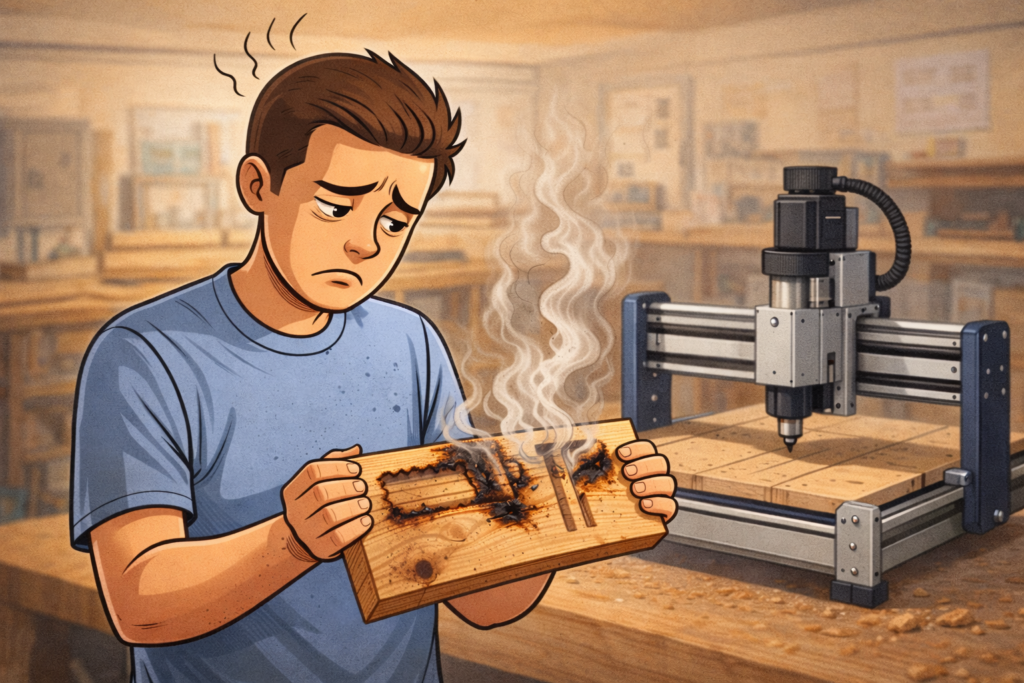
CNC Woodworking Mistakes #1: Slowing the Feed Rate to Stop Burning – I’m guilty
This is often the first reaction beginners have when a cut starts to look bad. The wood darkens, the edge quality drops, and the smell tells you something isn’t right. Slowing the feed rate feels intuitive, because with handheld tools, easing up usually helps.
On a CNC, that instinct often makes the problem worse.
Burning is usually a heat problem, not a speed problem. When the feed rate drops too low, the cutter stops cutting efficiently and starts rubbing instead. That friction generates heat, the wood scorches, and the machine keeps repeating the same mistake with perfect consistency. Beginners make this error because it feels like the right move, especially if they’re used to manual tools.
In reality, the fix usually starts with sharper tooling, correct cutter geometry, and a feed rate high enough to actually produce chips rather than dust. Once you see burning as a symptom rather than the root cause, troubleshooting becomes much more straightforward.
(For help with chipload, feeds and speeds, Fusion CNC ChipLoad Calculator
CNC Woodworking Mistakes #2: Assuming Plywood Is Flat Because It Looks Flat – Guilty
This mistake catches many people off guard because plywood doesn’t look problematic. It feels flat by hand, it sits reasonably well on the table, and visually it seems good enough. Then the CNC cuts one area perfectly and barely touches another, or pockets vary in depth for no obvious reason.
The machine didn’t mess up. The assumption did.
Plywood is rarely uniform in thickness, and it’s often crowned, twisted, or subtly warped even when it appears fine. CNC machines don’t care how something looks; they only care about where the tool is relative to the surface. If the material isn’t actually flat in the same plane as your toolpath, the results will reflect that immediately.
This is why spoilboards, surfacing your wasteboards, and thoughtful workholding matter much earlier in CNC woodworking than most beginners expect. It’s also why “it looks flat” is never a reliable measurement once precision comes into play.
CNC Woodworking Mistakes #3: Treating CAM Defaults as Safe, Universal Settings – Guilty
CAM software is incredibly capable, and default settings exist for a reason: they help people get started. The problem is that beginners often assume those defaults are not just convenient, but safe. If the software allows it, it must be fine, right?
Not necessarily.
CAM defaults don’t know your machine’s rigidity, spindle, tooling, or material. They are starting points, not guarantees. When beginners rely on them without understanding what they control, CAM starts to feel unpredictable and even dangerous. Toolpaths technically “work,” but they sound wrong, look wrong, or stress tools unnecessarily. I know this because anytime I reinstall or begin working on CAM software on another computer, the feeds and speeds on a tool are never right. I always have to adjust them.
Once you understand what depth of cut, stepover, and entry moves actually do, CAM stops being a black box. It becomes a decision-making tool. That shift alone does more for beginner confidence than almost anything else in CNC woodworking.
What helped me was to make cuts on a piece of wood that didn’t really matter and play with the settings to see how they work and what they do. After a while, I started to actually see and hear what was going on and how things worked, and why. Then I could start to really see what was going on and adjust accordingly.
(If tooling feels like part of the confusion here, Beginner’s Guide to CNC Cutting Tool Geometry
CNC Woodworking Mistakes #4: Overestimating How Secure the Material Really Is – I am guilty time and again.
If a workpiece doesn’t move when you press on it by hand, it’s easy to assume it’s secure. Unfortunately, CNC cutting forces don’t operate on the same scale as your hand.
Cutters generate lateral forces that are constant and directional, and those forces don’t need much movement to cause problems. A tiny shift can turn into chatter, vibration, or dimensional inaccuracies that are hard to diagnose after the fact. Beginners often underestimate this because nothing seems wrong at the start of the cut.
This is why experienced CNC users obsess over workholding. Vacuum tables, clamps, fixtures, and jigs aren’t accessories; they’re integral parts of the cutting system. If the material moves, every other variable becomes irrelevant.
I have seen work pieces get picked up and flung across the room, move just a little, enough to ruin the carving, and get lifted off the table. Workholding isn’t going to always work the same way, and being overly cautious starts becoming the standard.
CNC Woodworking Mistakes #5: Walking Away from the First Cut – Not guilty – too paranoid.
This one usually comes from confidence — or fatigue.
You’ve simulated the toolpath. You’ve checked your setup. The cut starts clean, so you step away to grab a drink or answer a message. That’s often when something goes wrong. Chips pack, tools dull, material shifts, or a setting wasn’t quite what you thought it was.
The first cut of any new setup is where problems reveal themselves. Staying with the machine during those initial moments isn’t paranoia; it’s discipline. CNC woodworking rewards attention early and punishes it when it’s missing. Developing the habit of monitoring first cuts saves more tools and parts than almost any other beginner practice.
CNC Woodworking Mistakes #6: Jumping Into Advanced Techniques Before the Basics Are Boring – Yup, I did this, but not anymore.
It’s easy to understand why this happens. CNC woodworking promises 3D carvings, inlays, and complex joinery that would be difficult or impossible by hand. Beginners want to get there quickly.
The issue is that advanced toolpaths don’t forgive weak fundamentals. If feeds, tooling, workholding, and CAM decisions aren’t solid, complexity simply amplifies every small problem. What could have been a manageable mistake in a simple cut becomes a frustrating failure in a complex one.
This isn’t about slowing ambition. It’s about sequencing learning so that advanced techniques become enjoyable instead of discouraging. When basic 2D cutting feels predictable and almost boring, you’re usually ready to move on.
I will admit that I still don’t see the basics as boring. Mostly because I trust the machine to do the job, I end up second-guessing my own work in CAM. Too many mistakes have made me cautious.
CNC Woodworking Mistakes #7: Assuming Problems Are Just “Part of CNC”
This mindset quietly stalls progress.
When cuts chatter, burn, or come out inconsistently, beginners sometimes accept it as normal. They chalk it up to CNC being finicky or temperamental. In reality, CNC woodworking is highly deterministic. Problems almost always have a cause and, usually, a fix.
The moment you stop accepting mystery is the moment your learning curve steepens. Asking why something happened instead of assuming it’s unavoidable is how beginners turn into confident operators.
There will be more writing on these things to come and I am sure there will be some info in the forum.
Why These CNC Woodworking Mistakes Are Actually a Good Sign
Making these mistakes means you’re using the machine. You’re testing assumptions and seeing where they break. Every experienced CNC woodworker has made every mistake on this list, often more than once.
Progress doesn’t come from avoiding mistakes entirely. It comes from recognizing them faster and understanding what caused them. When that happens, CNC woodworking stops feeling intimidating and starts feeling logical.
If you want the deeper foundation behind these lessons, the Beginner CNC Woodworking Guide walks through the fundamentals that make these mistakes easier to spot and fix. This article simply highlights the traps so you don’t have to fall into them as hard.
References & Further Reading